Glisse for Flutter
Apple's Liquid Glass, for Flutter, on every platform: Android, iOS, web, macOS, Windows and Linux.
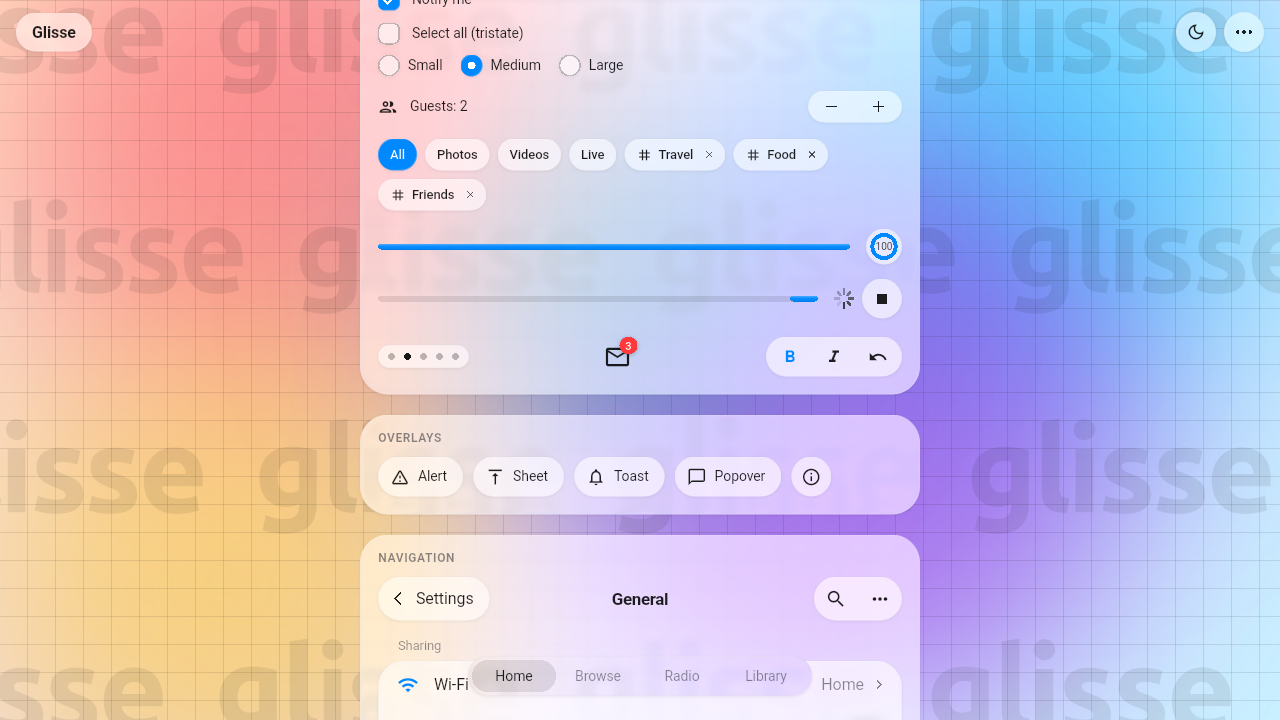
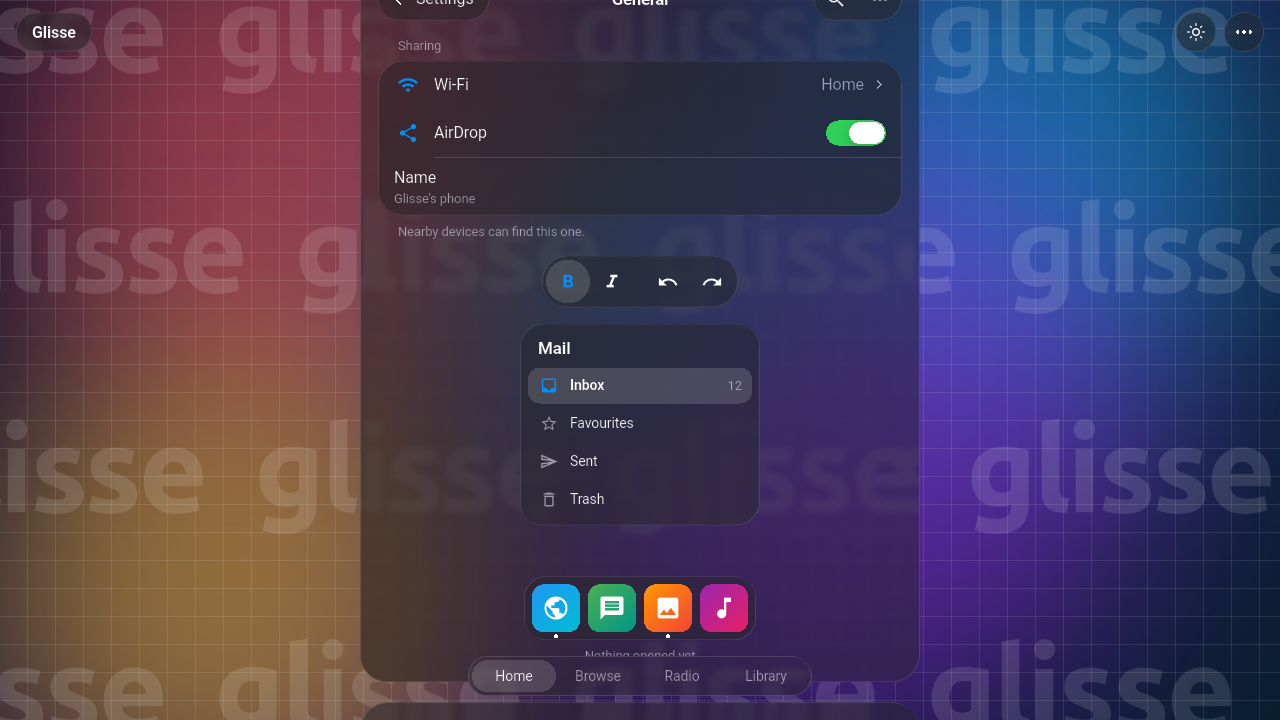
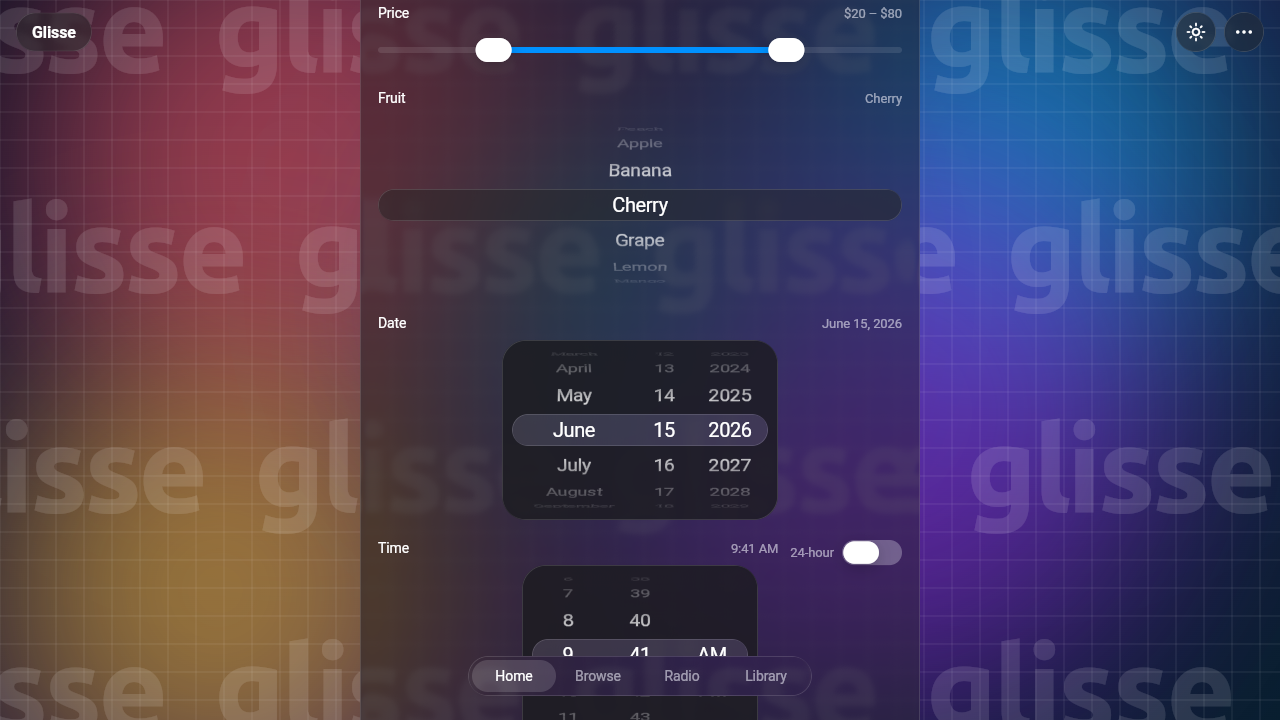
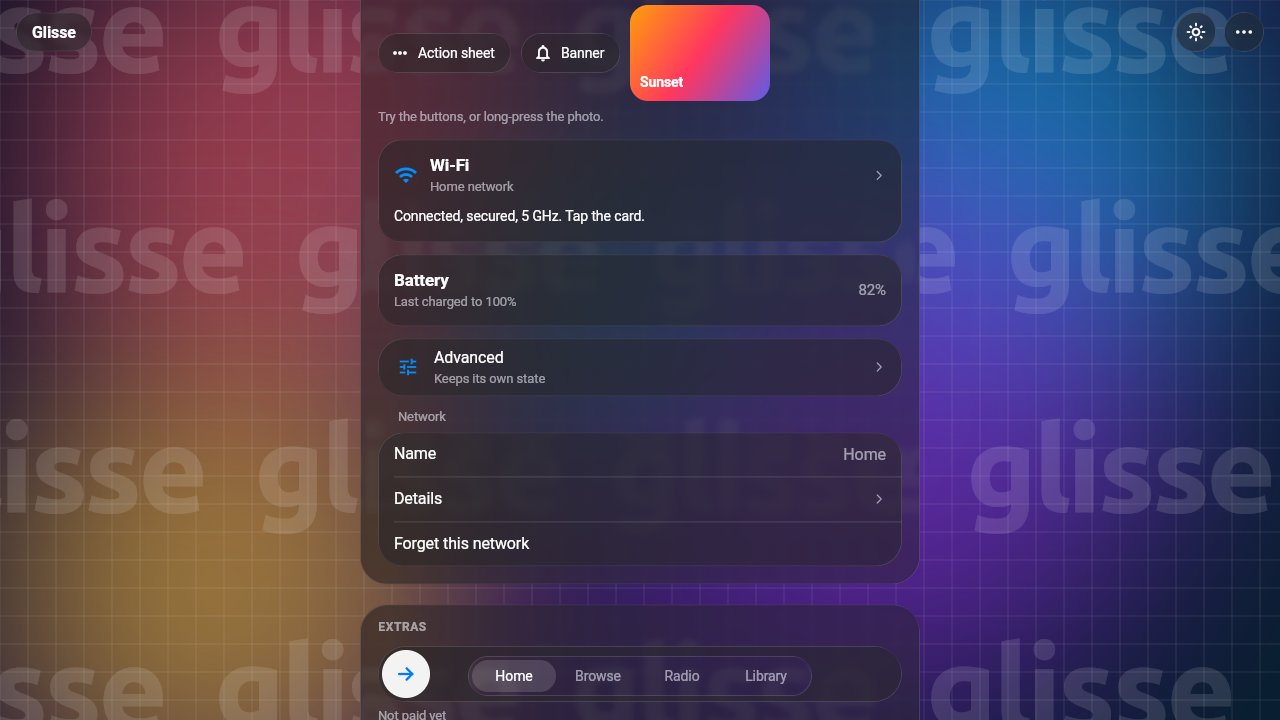
This is a port of Glisse (source), Kelvin Zhang's faithful web implementation of iOS 26's Liquid Glass. Glisse bends what's behind its glass with SVG displacement maps drawn on a canvas. Here the same maths runs in one fragment shader. It covers the bezel's Snell's-law refraction, the dome lens, the chromatic split, the frost, and the lit rim. The springs, press physics, sizes and colours are carried over from Glisse unchanged.
| Light | Dark |
|---|---|
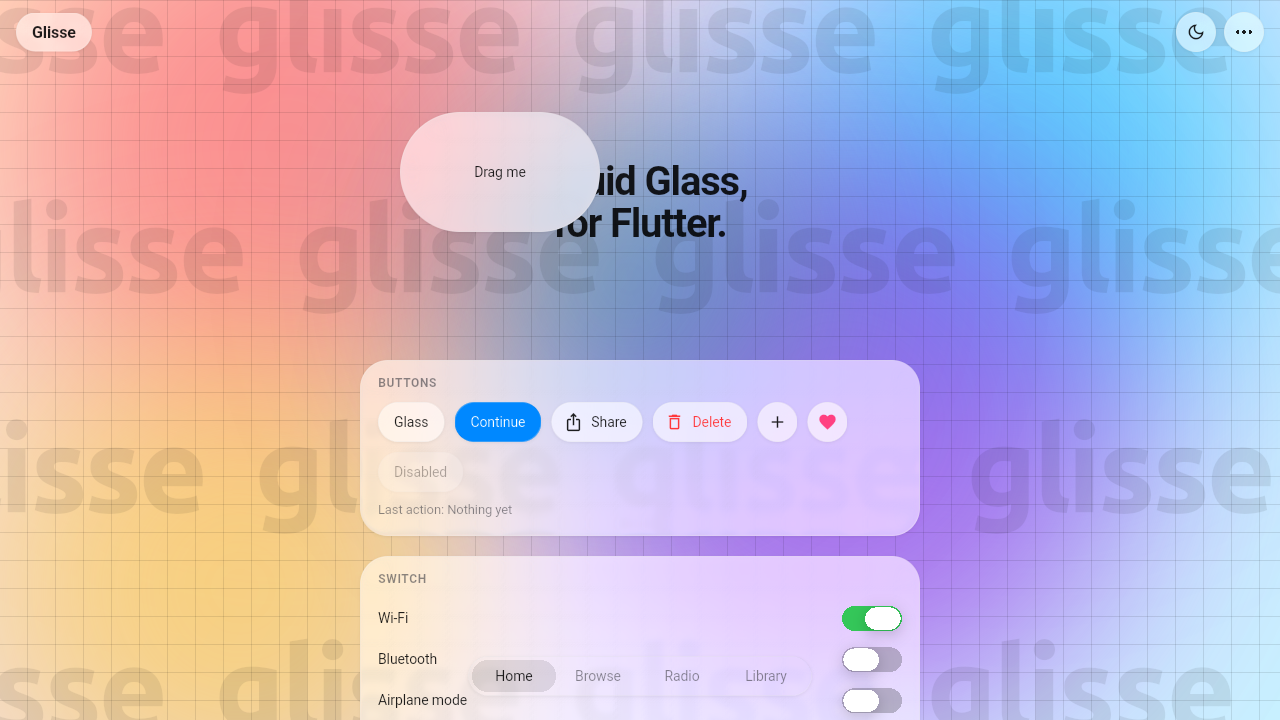 |
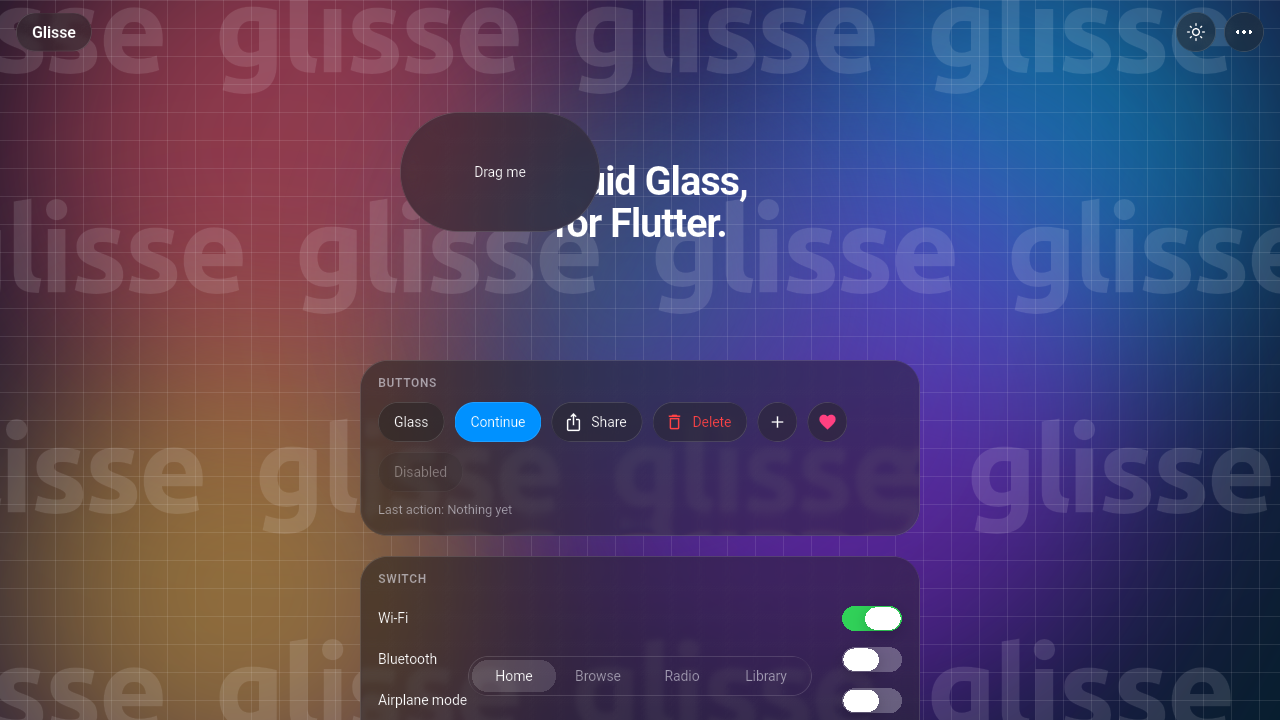 |
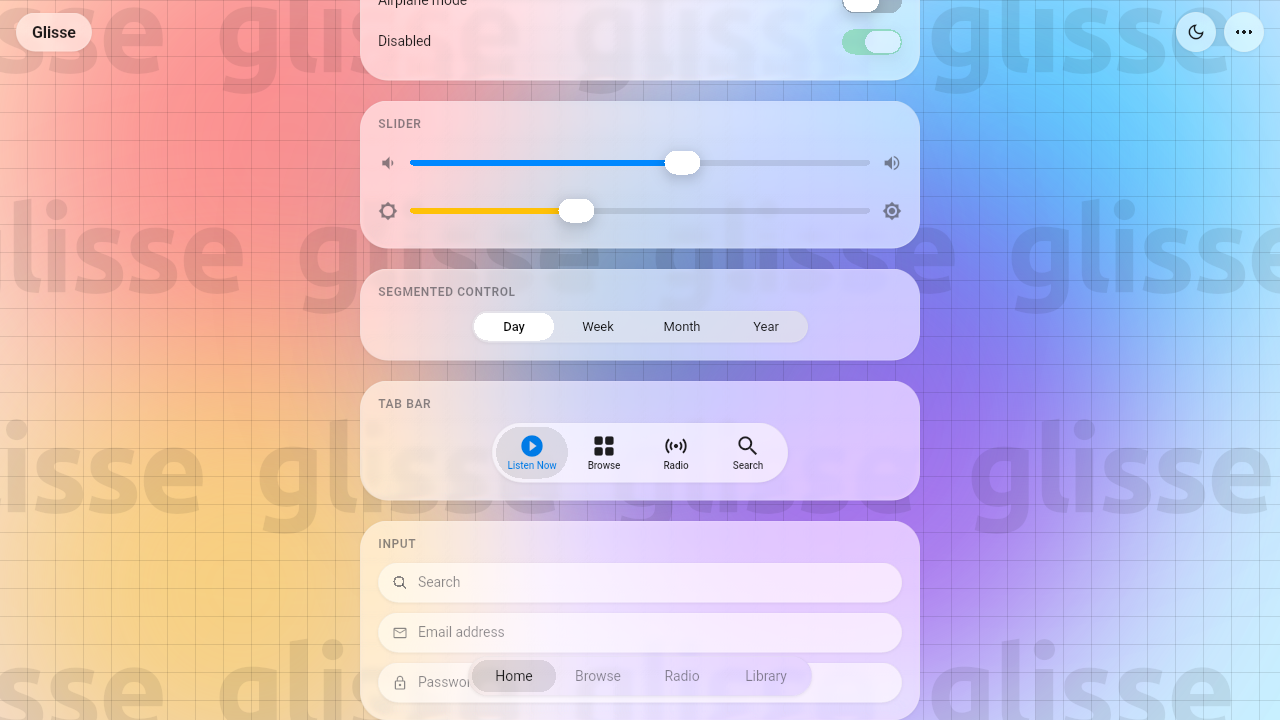 |
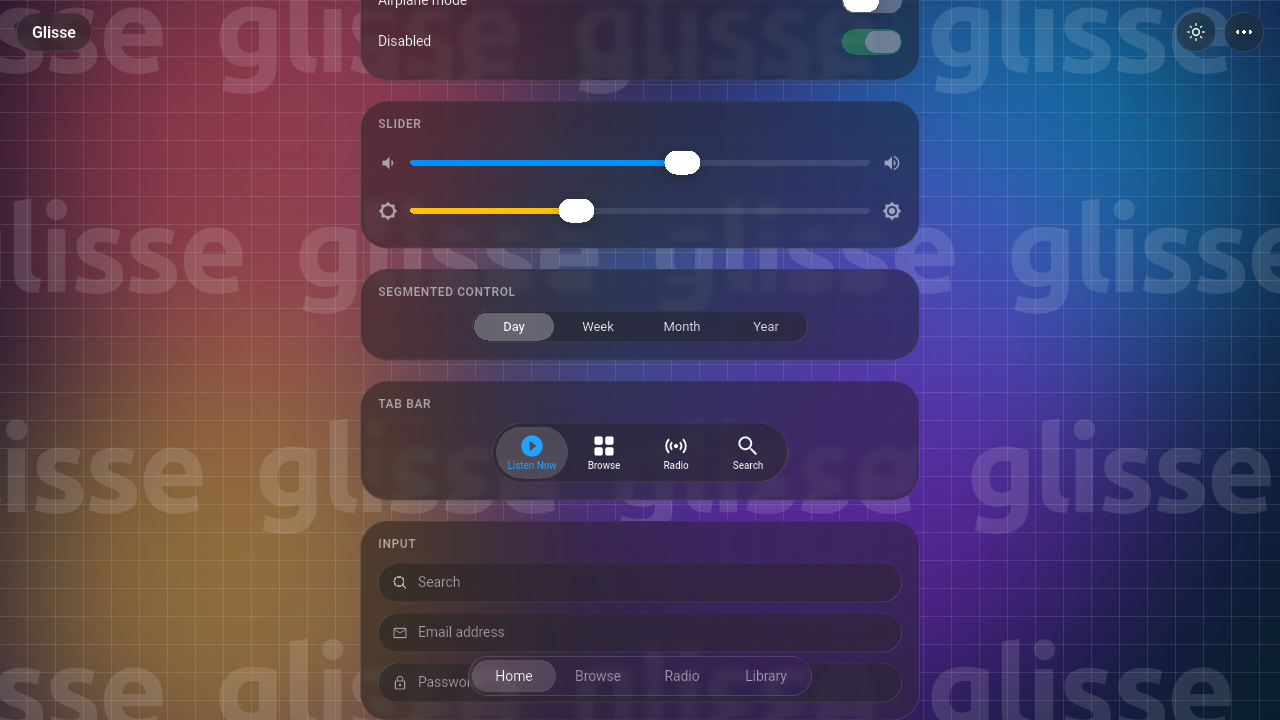 |
 |
 |
 |
 |
Try it in the browser: https://devilapi.github.io/glisse-flutter/
Documentation
- Widget catalogue: every widget, with an example.
- Theming: the colours and tuning, and how glass follows dark mode.
- How it works: the shader, the three ways glass reads its backdrop, and the tests.
- API reference: every class and parameter.
- Contributing, Changelog, Credits.
Widgets
Ported from Glisse, with the same measurements, springs and lenses:
| Widget | What it is |
|---|---|
Glass |
A pane of glass that bends its backdrop at the rim, frosts and tints it, and lights its edge. |
GlassButton |
The iOS 26 glass button. It swells and stretches under a finger and springs back past its size. Glass or filled, tinted, destructive, or icon-only. |
GlassSwitch |
A white knob that lifts into a lens while held, bending the track under its rim. It can be dragged across. |
GlassSlider |
A slider whose thumb lifts into a magnifying lens over a thicker stand-in track. |
GlassSegmentedControl |
A thumb on a glass track that lifts into a lens over the labels while held or dragged. |
GlassTabBar |
Tabs on glass, with or without icons. The selection springs between tabs, follows a drag, and lifts into a chromatic lens that smears labels at its rim. |
GlassMenu |
A glass button that morphs into a frosted menu, with drag-to-choose, a sliding highlight plate and rubber-band resistance. |
GlassInput, GlassSearchField |
Text fields on glass. The search field has a clear button. |
New for Flutter, built from the same glass:
| Group | Widgets |
|---|---|
| Overlays | showGlassDialog + GlassAlertDialog, showGlassSheet (a floating sheet you drag to dismiss), showGlassToast, GlassPopover, GlassTooltip |
| Controls | GlassCheckbox, GlassRadio, GlassStepper, GlassChip, GlassProgressBar, GlassProgressRing, GlassActivityIndicator, GlassPageIndicator, GlassBadge, GlassButtonGroup |
| Navigation | GlassNavigationBar, GlassBackButton, GlassToolbar, GlassListSection + GlassListTile, GlassSidebar, GlassDock (macOS-style magnifying dock) |
| Pickers | GlassRangeSlider, GlassPicker (a wheel), GlassDatePicker, GlassTimePicker, GlassCalendar, GlassColorSwatches, GlassKnob (a rotary dial), GlassRating, GlassPinField (a one-time code) |
| Surfaces | showGlassActionSheet, GlassContextMenu (long-press or right-click, with a lifted preview), showGlassBanner (a notification that drops in from the top), GlassCard, GlassDisclosure (an expanding section) |
| Extras | GlassSlideToConfirm, GlassAvatar, GlassAvatarGroup |
| Lenses | GlassMagnifier (a draggable magnifying lens), GlassLoupeRegion (a loupe on long-press) |
| Building blocks | GlassBackdrop, GlassTheme, GlassPressable, GlassSpring, LiquidGlassBox |
Install
flutter pub add glisse_flutter
Glisse needs Flutter 3.29 or newer. No setup is needed: the shader ships with the package.
Use
import 'package:glisse_flutter/glisse_flutter.dart';

GlassBackdrop(
  background: Image.asset('wallpaper.jpg', fit: BoxFit.cover),
  child: Center(
    child: Column(mainAxisSize: MainAxisSize.min, children: [
      GlassButton(
        variant: GlassButtonVariant.filled,
        onPressed: () {},
        child: const Text('Continue'),
      ),
      GlassSwitch(value: wifi, onChanged: (v) => setState(() => wifi = v)),
      GlassSlider(value: volume, onChanged: (v) => setState(() => volume = v)),
      GlassSegmentedControl<String>(
        segments: const [
          GlassSegment(value: 'day', label: 'Day'),
          GlassSegment(value: 'week', label: 'Week'),
        ],
        value: view,
        onChanged: (v) => setState(() => view = v),
      ),
    ]),
  ),
)
Overlays, controls and navigation work the same way:
// An alert
final allowed = await showGlassDialog<bool>(
  context: context,
  builder: (context) => GlassAlertDialog(
    title: const Text('Allow “Glisse” to use your location?'),
    content: const Text('Your location is used to show nearby glass.'),
    actions: [
      GlassDialogAction(result: false, child: const Text('Don’t Allow')),
      GlassDialogAction(result: true, isDefault: true, child: const Text('Allow')),
    ],
  ),
);

// A floating sheet you can drag away, and a toast
showGlassSheet(context: context, builder: (context) => const Text('Share'));
showGlassToast(context, message: const Text('Copied'), icon: const Icon(Icons.check_circle));

// A grouped list, a toolbar and a magnifier
GlassListSection(header: const Text('Network'), children: [
  GlassListTile(leading: const Icon(Icons.wifi), title: const Text('Wi-Fi'), showChevron: true, onTap: () {}),
]);
GlassToolbar(children: [
  GlassToolbarItem(icon: const Icon(Icons.undo), semanticLabel: 'Undo', onPressed: () {}),
  GlassToolbarItem(icon: const Icon(Icons.redo), semanticLabel: 'Redo', onPressed: () {}),
]);
const GlassMagnifier(size: 140, magnification: 1.8);
Glisse widgets follow the ambient brightness. To set the colours or the tuning yourself, use GlassTheme:
GlassTheme(
  data: GlassThemeData.light().copyWith(
    glassBend: 2.5,        // how far the rim reaches in
    glassDispersion: 1.2,  // how far the colours split
    blur: 4,               // the frost
    fill: Colors.indigo,   // the accent
  ),
  child: ...,
)
To load the shader before the first frame, call await GlassShaders.precache(); in main. This is optional: glass loads the shader on its own and frosts until it's ready.
Content scrolling under a glass bar
Put the content in the backdrop's background and the bar in its child. Touches that miss the bar reach the content. The glass sees the content move, so it bends whatever scrolls under it:
GlassBackdrop(
  background: ListView.builder(itemCount: 100, itemBuilder: (context, i) => ListTile(title: Text('Row $i'))),
  child: SafeArea(
    child: Align(
      alignment: Alignment.bottomCenter,
      child: GlassTabBar<int>(
        items: const [GlassSegment(value: 0, label: 'Home'), GlassSegment(value: 1, label: 'Search')],
        value: tab,
        onChanged: (v) => setState(() => tab = v),
      ),
    ),
  ),
)
How glass sees what's behind it
Glass can only bend what it can read, so it reads it in one of three ways (GlassMode):
- captured: inside a
GlassBackdrop, glass bends a copy of the backdrop'sbackground. The copy is taken again after every frame in which the background painted anything new, so the background may scroll and animate. This works on every renderer, including Skia, the web (CanvasKit and Skwasm), Linux and Windows. It mirrors Glisse'sdata-glisse-backdrop. - backdropFilter: on Impeller (iOS, Android, macOS), glass bends the live backdrop behind it through
ImageFilter.shader. NoGlassBackdropis needed. - frost: everywhere else, glass blurs and saturates its backdrop under its tint and lit rim, as Glisse does in browsers that can't filter a backdrop.
GlassMode.auto, the default, picks the first of these that works. Set a mode per widget, or for a subtree with GlassThemeData.mode.
Controls that bend their own content need no backdrop at all: the switch's track, the slider's track, and the labels under a tab bar's lens. They record that content into an image and bend it, so they refract everywhere.
Platform notes
- Where it's been checked: CI builds the gallery for Android, iOS, macOS, Windows, Linux and the web on every push. It was also run on Linux under both Skia and Impeller (OpenGL), on an Android phone under Skia, and in Chromium.
- Skia and the web refract inside a
GlassBackdrop, and frost outside one. - Glass in glass: in a
GlassBackdrop, inner glass takes on the outer glass's frost and tint, so it looks as it would through it. On Impeller's live backdrop, inner glass reads the outer glass's layer directly. Glass inside an opacity layer (a fading route, a disabled control) can't place its backdrop, so for that moment it frosts instead. - Moving glass: glass that moves without repainting (in a scrolling list, or during a route transition) checks its position after each frame and repaints, so its refraction can trail by one frame.
- On the web, CanvasKit reads the copied backdrop back from the GPU, which costs more than on native platforms. The gallery starts with its wallpaper still on the web for that reason.
- Privacy-hardened browsers (LibreWolf by default, or Firefox with
privacy.resistFingerprinting) block reading a canvas back, which CanvasKit can't survive. Glass notices and frosts the page without a copy there, and controls lift without their lens. With WebGL turned off (LibreWolf's default), Flutter draws every pixel on the CPU and every app is slow. Glass notices (GlassShaders.usable) and paints as a plain tint and rim, the cheapest it can. Avoid full-screen gradients and large blurs behind it, which cost hundreds of milliseconds a frame there. - Impeller with OpenGL ES: render targets are upside down there, and the shader corrects for it. One old Android device running Mesa's freedreno GLES driver drew no backdrop filters at all, Flutter's own blur included, while Skia on the same device rendered everything. If Impeller misbehaves on a device, try
--no-enable-impeller. - Performance: a
GlassBackdropcopies its background only after frames in which it changed, and only while some glass reads the copy. It blurs that copy once per change for all the glass that frosts it, so frosted glass costs one texture sample a pixel.GlassThemeData.quality(low,medium,high,auto) trades detail for speed;autois medium on the web and phones. One measurement: scrolling the gallery for 2,223 frames on Linux (Skia, a desktop GPU, 1280×720), with the wallpaper animating so the backdrop was copied every frame. Frames averaged 3.1 ms to build and 6.1 ms to rasterise, and the 90th percentile was 10.9 ms.example/integration_test/perf_test.dartmeasures it:flutter drive --profile --driver=test_driver/perf_driver.dart --target=integration_test/perf_test.dart. - Reduced motion: when the platform asks for it (
MediaQuery.disableAnimations), every spring lands at once.
The gallery
example/ is a gallery of every widget over an animated wallpaper. It includes a playground for the bend, dispersion, frost and rim light, and a switch between the glass modes.
cd example
flutter run -d chrome   # or linux, macos, windows, android, ios
Tests
flutter test                       # behaviour and golden tests
flutter test --update-goldens      # re-render the goldens in test/goldens/
The goldens are rendered with real Roboto from the Flutter SDK, so they double as screenshots of each widget in both themes.
Credits
Glisse, its measurements of iOS 26.1, and its design are by Kelvin Zhang, MIT licensed. Glisse in turn credits Aave's web glass and kube.io's study of Liquid Glass refraction. CREDITS.md lists what was carried over from Glisse and what was written for this port.
Licence
MIT. See LICENSE. It keeps Glisse's copyright notice alongside this port's.
This project isn't affiliated with Apple, or with Kelvin Zhang. Liquid Glass is a trademark of Apple Inc.
Libraries
- glisse_flutter
- Apple's Liquid Glass for Flutter: a port of Glisse.